PYNK — Validating the Problem & Solution for Professional Women's Workwear
Founder & Lead Researcher · PYNK · Current (Pivot Accelerator, Session 4)
Plan A hypothesis
The bet I started with.
Professional women repeatedly describe having clothes that don't fit, feeling boring or unsure, and second-guessing what works for their bodies and roles. A one-time Closet Audit was hypothesized to be the highest-value entry point — less expensive than ongoing styling, less intimidating than buying a new wardrobe.
Who I spoke with
17 unique voices, 5 deep interviews, 6 survey responses.
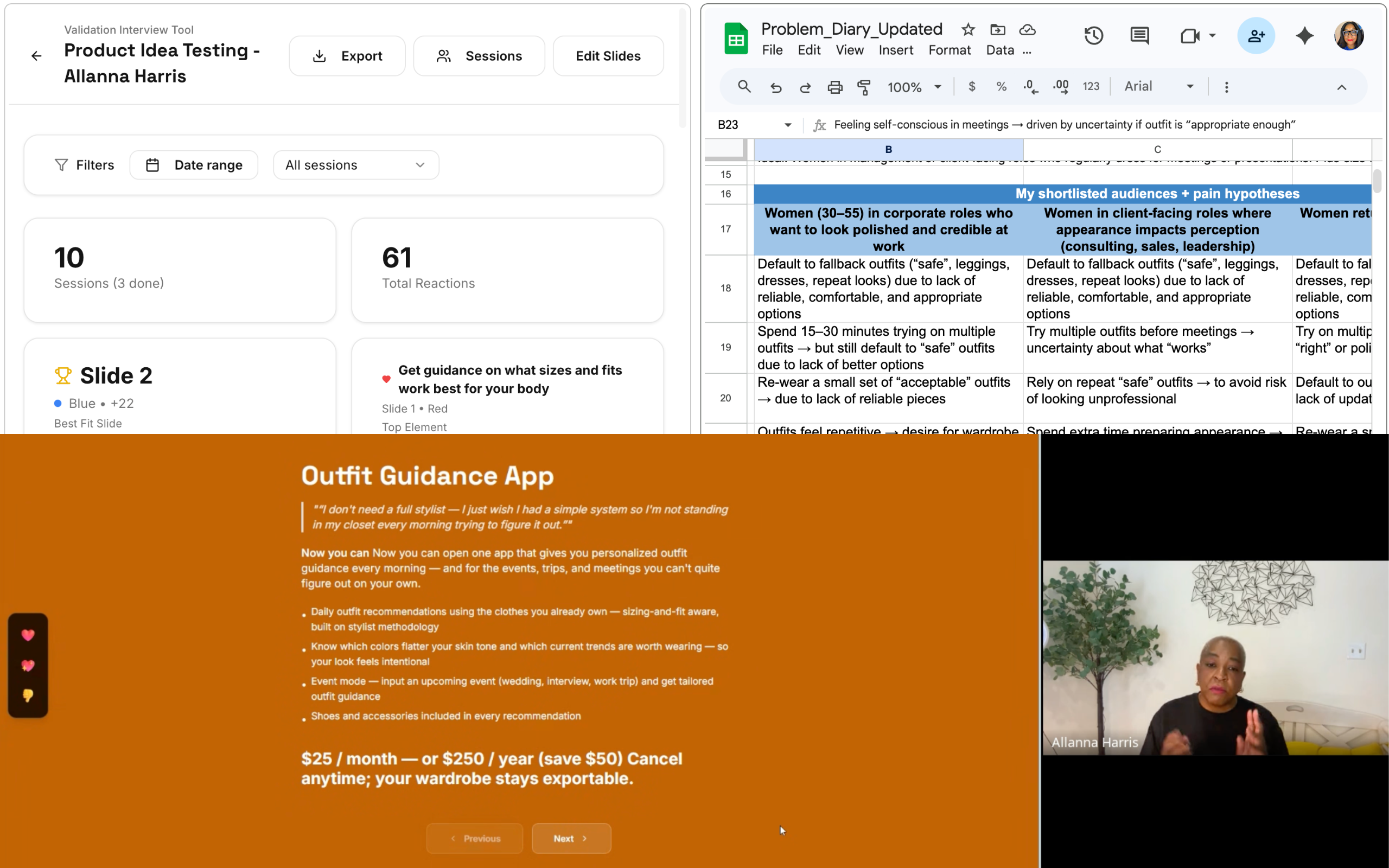
Research targeted professional women aged 30–55 across three shortlisted audiences: women in corporate roles who want to look polished and credible, women in client-facing roles where appearance impacts perception, and women returning to in-office work after remote periods.
Recruiting ran primarily through LinkedIn DMs (27 outreach contacts), plus OneDay Slack DMs (3), Email (2), Instagram (2), WhatsApp (1), and personal-network referrals (1). Five structured interviews were formally scored: Avelena-Rose Ortega, Melanie Bonner, Julie DaRosa, Renee Muniz, and Keren Wolfovitz.
Pain heat map
Where the pain actually lives — and how often it hits.
| Pain pattern | Depth | Frequency | Nature of pain |
|---|---|---|---|
| Chronic physical discomfort (underwear, thigh cutting) | 4.5 | Daily | Unresolved physical pain |
| Travel + outfit reliability across climates & contexts | 4.0 | Recurring | Systemic planning stress |
| Fallback to "safe outfits" | 4.0 | Recurring | Reliability / trust failure |
| Jeans uncomfortable → leggings fallback | 3.5 | Weekly | Chronic friction with workaround |
| Decision paralysis — can't put outfits together | 3.5 | Weekly | Confidence + decision layer |
| Repetition fatigue + modesty concerns | 3.0 | Weekly | Psychological fatigue |
| Laundry / situational pants issue | 2.0 | Monthly | Situational inconvenience |
Evidence in the wild
The quotes that changed the direction.
Analysis & key learnings
The hypothesis was right on the problem — wrong on the singular solution.
What surprised us — The pain isn't a wardrobe gap. It's decision paralysis. Women have the clothes; they don't trust themselves to use them. Body and life transitions (weight loss, career shift, age) emerged as a strong unspoken driver, voiced most clearly by Renee. Sizing & fit guidance was the highest-scoring single feature (+5) across every interview where it appeared.
What changed — Calendar integration is dead (rejected by 3 of 5 interviewees, −2 score). A flat $50/month subscription is dead (only Keren accepted; Avelena offered $30 max; Julie would spend it elsewhere). The single "Closet Audit" offering needs to flex into three intensities.
What's still unclear — Whether dress-code ambiguity (signaled by Laura Gilbert and Christine Sugimoto) belongs in the core offer or as a feature. Whether higher-touch pricing ($200–$1,500+) holds up outside the interview context. Whether women will renew a seasonal refresh vs. treat it as a one-time engagement.
Decision: Pivot, Iterate, or Persevere
Iterate — same niche, refined angle.
The niche is validated: professional women, 30–55, dressing for work-from-anywhere life. The pain hit hard across 4 of 5 scored interviews and the survey data (4.0+ depth). The closet audit is validated as the core (+17 on the best-fit slide; closet audit +4, sizing & fit +5, 1:1 consultation +3, photo catalog +2, gap analysis +2). What's being refined is the packaging — a single offer becomes three solution intensities to meet women where they are.
What's next
Testing pricing intensity across three packages — one-time hybrid service, in-person concierge, and an outfit-guidance app — with the same audience that already engaged with the closet-audit concept. Adjacent niches under watch: women in life transition (strongest emerging persona) and hybrid-work dress-code sufferers.